

Photo by Pew Nguyen on Unsplash
Imagine this: one of your best-selling core products is getting a design update e.g. improved fit — but your customer never notices. Why? Because your Smart Replenishment solution already switched to the replacement product, automatically, without manual checks or delays.
At Chainbalance, we're constantly looking for ways to make your replenishment operations smarter, smoother, and more automated. That’s why we’re excited to introduce a game-changing feature: the NOS Replacement Option. Welcome to the future of NOS management and learn how this feature simplifies your replenishment strategy.
What is the NOS Replacement option?
It’s a flexible, intelligent feature that allows you to seamlessly link an existing NOS article with its replacement — automating the switch without losing valuable settings or data and without manual effort.
Let’s walk through the user journey
Step 1: Start with the location
Choose which store locations you want to replace a certain option.
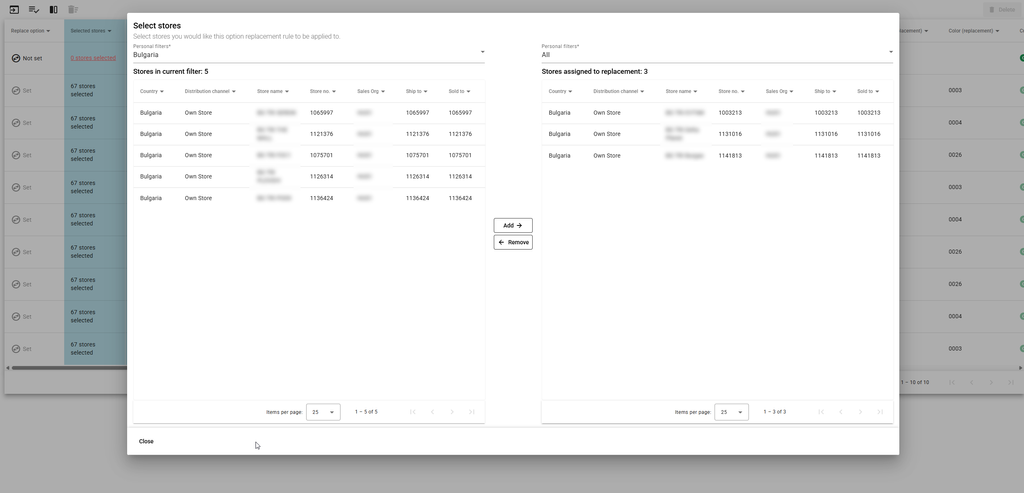
Step 2: Article to be replaced
Go into your replenishment list, choose the 'NOS Replacement Option’ settings and select the article that’s being replaced.
Step 3: Pick the replacement product
Choose the new item that will take over and see how many stores and SKU-locations are impacted.
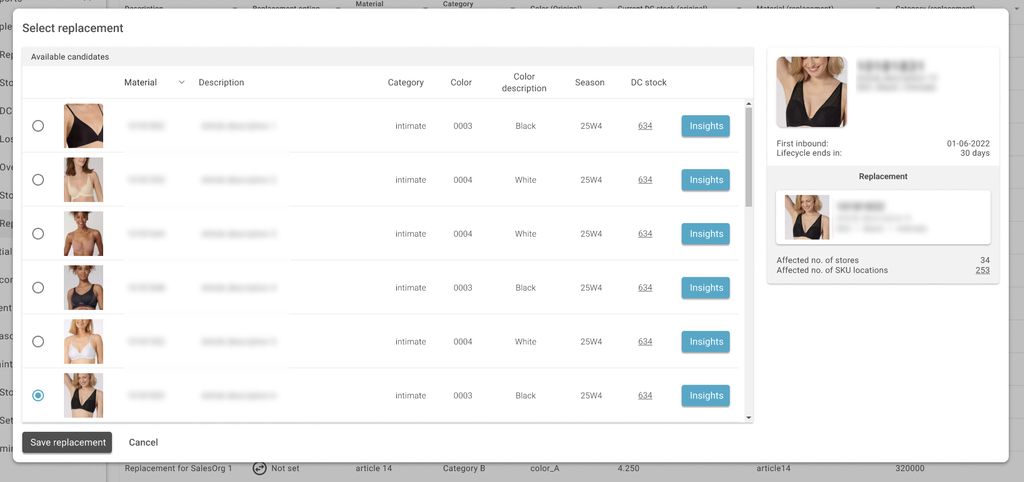
Step 4: Merge settings and history
If desired, all replenishment settings (start and stop dates, logic, and target settings) are transferred, and the data is merged to ensure you retain the tracking and performance insights.
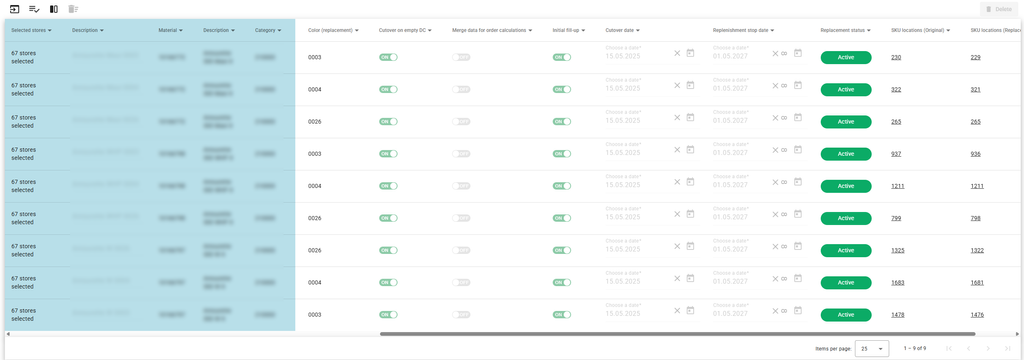
Step 5: Select cutover behavior
- Set a date on which a group of stores will all switch to the new option at the same time.
- Or choose to only start the transition to a replacement option once stock for the old option has run out at the distribution
Step 6: Initial fill-up
Decide whether you want to fill the replacement product to its intended targets or do it manually before it becomes active, ensuring a smooth and uninterrupted experience.
Five reasons for using the NOS replacement option
- No manual checking: The store doesn’t have to track the NOS status manually.
- Automatic switch = fewer errors.
- Seamless tracking of sales and replenishment between old and new articles.
- Custom logic per store or article, including specific cutover dates.
- Minimized disruptions to availability, even in high-demand items.
The bottom Line
Whether you’re switching to a new supplier or updating your core products, the NOS Replacement Option helps you without skipping a beat.
Are you interested in Smart Replenishment and our NOS replacement option? Contact us to find out more: info@chainbalance.com